Spoofer - Bug fixes
Fix common spoofer, cleaner, driver, security, and product-access issues.
Before Spoofing or Cleaning
Do this every time before you press Spoof:
- Follow the Windows Security guide — Defender off, third-party antivirus uninstalled, firewall off.
- Run the loader as administrator.
- Close every game, launcher, and anti-cheat process.
- If the loader shows a warning (Vanguard, FACEIT, HVCI, BitLocker, Windows Hello PIN, or any Windows security item), fix it and restart before spoofing.
FiveM Option Locked
The spoofer itself is free — no subscription is needed to use it. The FiveM option is separate and requires an active FiveM subscription on your account.
- Open the pricing page and buy the FiveM subscription.
- Restart the loader after purchase.
- The FiveM option will unlock automatically.
If you already own an active FiveM subscription and the option is still locked, open a ticket with:
- Your account username.
- A screenshot of the locked FiveM option.
- Your FiveM order or invoice number.
Error 4001 — Driver Download Failed
The loader couldn't fetch the spoofer driver from our servers. You'll see one of two messages:
- "Could not download the Spoofer driver. Check your connection and try again." — network problem on your side.
- "The Spoofer driver received from the server is invalid. Try again later." — server side; the payload was rejected as corrupt.
How to fix
- Check your internet connection.
- Try a VPN — some ISPs block our endpoints:
- Cloudflare WARP (free)
- Windscribe (free)
- Proton VPN (free)
- Restart the loader as administrator.
- If the message says invalid driver, wait a few minutes and try again — the server may be updating.
Error 4002 — Driver Load Blocked
The driver downloaded but couldn't be loaded into Windows. Almost always Windows security or an anti-cheat driver is blocking it. Common messages you'll see:
- "Could not load the Spoofer driver. Run Ambani as administrator and verify HVCI is disabled."
- "The Spoofer driver did not respond after loading. Restart Windows and try again."
- "Spoofer failed while applying kernel changes. Restart Windows and try again."
How to fix
- Run the fixer app as administrator:
- Restart your PC.
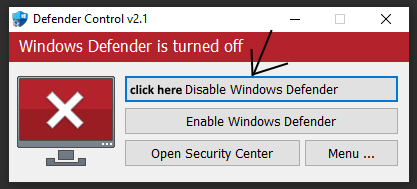
- Complete the Windows Security guide — including turning off HVCI / Memory Integrity.
- Close Vanguard, FACEIT AC, and any other anti-cheat, then restart your PC.
- Run the loader as administrator and try again.
Error 4003 / 4004 — Disk Spoof Stuck
The spoofer got stuck while spoofing your disk. Almost always something else is holding disk access — antivirus, a backup or sync tool, or a disk-info utility.
How to fix
- Close any backup, sync, or disk-utility tool (OneDrive, Google Drive, CrystalDiskInfo, HWiNFO, Acronis, etc.).
- Confirm every third-party antivirus is uninstalled — see the Windows Security guide.
- Restart your PC.
- Run the loader as administrator and try again.
Error 4098 — Post-Spoof Cleanup Failed
The spoof itself worked, but the loader couldn't finish the cleanup step. You'll see one of these messages:
- "Spoofer completed, but Ambani could not refresh WMI. Restart Windows and try again."
- "Spoofer completed, but Ambani could not save the post-spoof snapshot."
How to fix
- Test the game first — if it launches and works normally, the spoof succeeded and you can ignore the error.
- If the game rejects you or something feels off, run the spoof again in the same session, without restarting.
- If the same code appears every attempt, open a ticket with a screenshot.
Error 4099 — Unexpected Error
Something the spoofer didn't anticipate. Message: "Unexpected Spoofer error. Restart Ambani and try again."
How to fix
- Restart the loader as administrator.
- Restart your PC.
- If the same code appears again, open a ticket with the screenshot, which options were enabled, and which step the loader was on when it failed.